
AI can now produce a polished monthly client report in seconds. The harder task is making sure it summarises real client numbers, not a patchwork of pasted exports. Agencies that fix the data layer first get answers they can defend in a client meeting.
Reports are the easy part
Most agency teams already run paid media in Google Ads and Meta Ads Manager, SEO in Semrush, social in Hootsuite, web analytics in Google Analytics and an AI assistant such as ChatGPT or Claude. None of those systems automatically share context. Staff act as the glue: exporting, pasting, reconciling and double-checking numbers before an AI tool can summarise them.
That is where errors creep in. Ask an AI assistant to review a client’s month from copied data and it can produce a confident answer based on incomplete figures. It does not know which client a metric belongs to, which date range matters, or whether this month is better than the previous six unless that framework is supplied.
What an MCP connection actually does
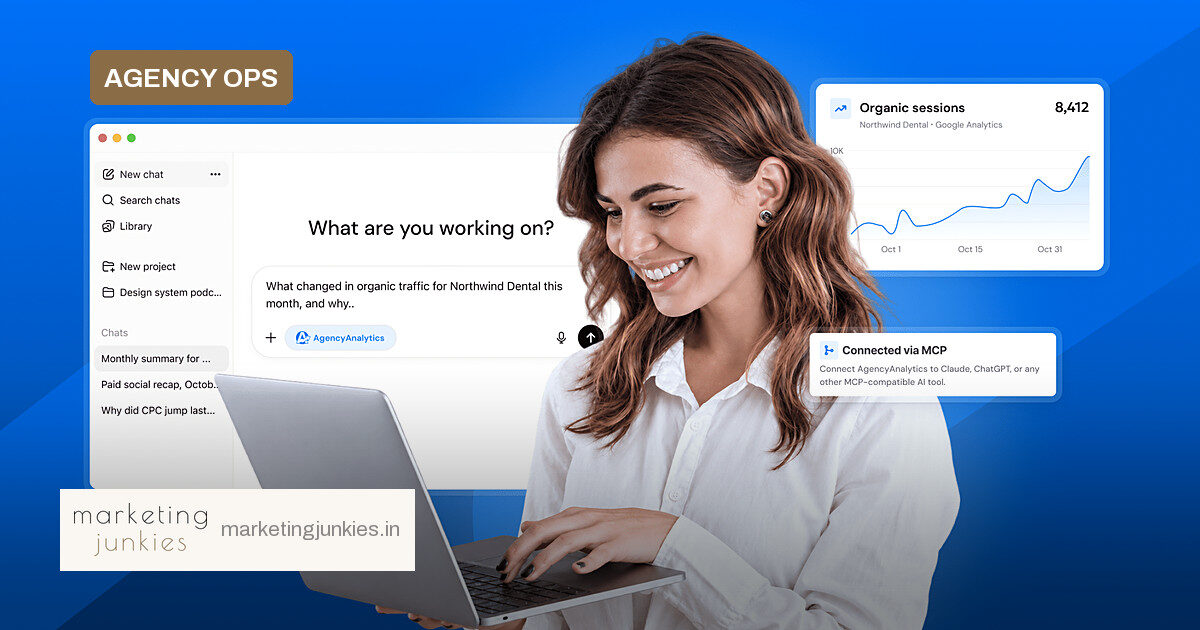
MCP stands for Model Context Protocol. It is an open standard that lets an AI assistant pull directly from a data source instead of relying on pasted files. When client data sits in one connected platform, the AI tool your team already uses can query that history: context, date ranges and cross-channel comparisons stay intact.
AgencyAnalytics, which sells a client reporting platform, has built its integrations around this approach. Client data, structures and history stay in one place, while tools such as Claude and ChatGPT read from them. The team keeps its existing workflow, and the summary is drawn from connected source data rather than guesswork.
How to build AI reporting you can trust
- Consolidate client data first. Connect each client’s channels into a single platform so every number has a history.
- Audit your integrations. Broken or stale connections are the most common cause of wrong AI answers; fix them before automating anything.
- Link the AI assistant you already use. Use an MCP connection to the data source rather than adding another tool.
- Start with one client and one question. Test a query like what changed in organic traffic and why, then compare it with what you already know.
- Keep a strategist in the loop. Let AI draft, then have a human add context, judgment and recommendations.
- Save prompts that work. Build a shared prompt library so the whole team can reuse them.
A simple test: if your team pulls from four or more platforms per report, spends hours reconciling files, has caught AI summaries using wrong figures, or is being asked for faster insights, an MCP connection is worth exploring. You do not need a data engineering team to set most of this up.
Trust remains the deliverable
Speed is no longer the hardest part of reporting; trust is. Clients stay with agencies that understand their numbers and can explain what to do next. Connected data reduces the chance of a plausible but wrong AI summary, but it does not remove judgment. Treat AI output as a first draft, verify permissions with your provider, and keep a person responsible for final advice.
For agencies, the payoff is less admin time and more time for strategy. For clients, it is reporting they can believe enough to act on.