
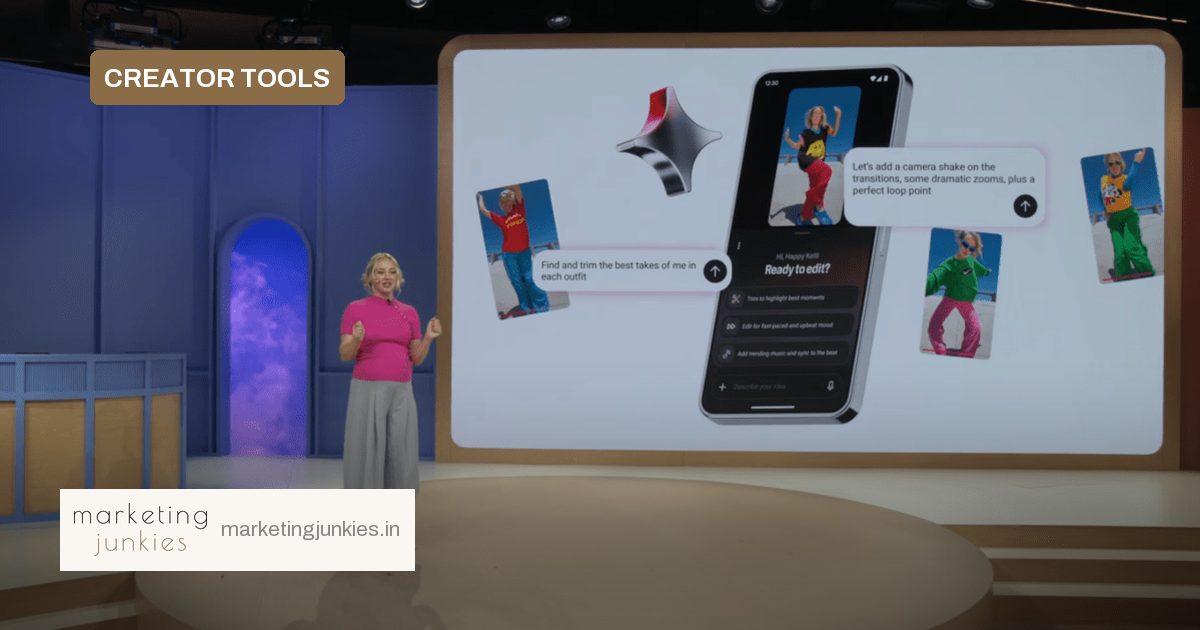
YouTube’s Wednesday Made On YouTube event gave creators a clearer picture of where AI-assisted production is heading. The platform announced a conversational editing tool that accepts natural-language instructions, positioning it as a way to cut editing time while keeping the creator in charge.
What YouTube announced
The tool lives inside a chat-style interface. Creators describe what they want—select the best take from each outfit, add music that matches the dance, clean up pauses—and the AI works through the footage. In the onstage demo, YouTuber Happy Kelli used it to pick takes from dance footage and add transitions in line with the movement.
The feature can also add text overlays, remove pauses in speech, and make contextual suggestions based on the conversation. It will support both long-form content and YouTube Shorts, and is scheduled to arrive in the YouTube Create app in early 2027.
Importantly, the tool is not a dead end. Creators who want finer control can leave the chat and return to the traditional editing timeline to adjust anything manually.
Why creators are split
Happy Kelli framed the pitch around a familiar production pain point: “A one-hour shoot can be 10 hours or more in the edit.” That makes the time-saving potential real for creators who routinely sort through takes, sync music and clean up speech.
At the same time, editing style is often what separates one channel from another. Pacing, jump cuts, caption style and transition choices can be part of a creator’s brand. Handing those decisions to AI may produce clean edits that still feel generic. YouTube is trying to address that concern by describing the feature as an assistant.
“It’s a collaborative partner that edits with you, not for you.”
Kelli added that the editing process becomes “a literal conversation with an infinitely patient helper.”
How content teams can prepare
For marketers and content teams, the tool points toward faster first cuts rather than a replacement for editors. The rollout window to early 2027 gives teams time to test where AI assistance fits into their workflow.
A practical starting point:
- Start with repetitive edits: removing pauses, adding captions, and rough-cutting selects.
- Keep a manual final pass for pacing, tone and brand-safe choices.
- Compare production time before and after to see whether the tool actually helps.
The bigger picture
YouTube is making a bet that creators want speed without surrendering their signature. The manual override is the key safeguard. If the tool can handle the tedious parts while preserving a creator’s voice, it could change how short-form and long-form content gets made. If not, creators will simply head back to the timeline.
Source: TechCrunch